
















.png)












































.png)


For most users, the standard note-taking app on iPhone remains a digital equivalent of a fridge sticky note. People use the app exclusively for saving shopping lists, intercom passwords, or sudden ideas. Ten years ago, this perception was entirely justified — the app really could only save plain text.
Today, the situation has fundamentally changed. The built-in tool has transformed into one of the most powerful databases within a mobile operating system. The app can transcribe phone calls, recognize handwritten mathematical formulas, integrate with smartwatches, and build complex cross-reference structures. Below is the real potential of the built-in app that replaces a dozen paid services.
Universal Container for Media
The main mistake newcomers make is perceiving the app as solely a text editor. In reality, the tool works as a bottomless container for saving any digital objects.
Video and links with context. If you open a YouTube video, press Share, and select the standard notes app, the video saves with an interactive mini-player. You can watch the video right inside the note without switching to another app. The same mechanism works with any web page. On a Mac, simply drag the browser address bar into the text. On iPad, the task is even faster thanks to Quick Note: a light swipe with the stylus from the bottom corner of the screen instantly saves the open website.
Smart quoting. When working in the Safari browser, selecting a specific text paragraph and sending it to Notes creates a smart link. The system saves the text quote, and when you later click the link, the browser doesn't just open the website — it automatically scrolls to the exact highlighted fragment. For students, researchers, and copywriters, this feature is indispensable.
Beyond text and video, email messages from the mail client, music tracks from Apple Music, geolocations from the navigator, and even heavy folders from Finder on Mac can be dragged into a note. If you dictate a voice message, the system instantly adds a text transcription without using third-party services.
Wrist Ecosystem and Apple Watch
Having a full text editor on a smartwatch screen seems like an absurd idea right up until the first practical use.
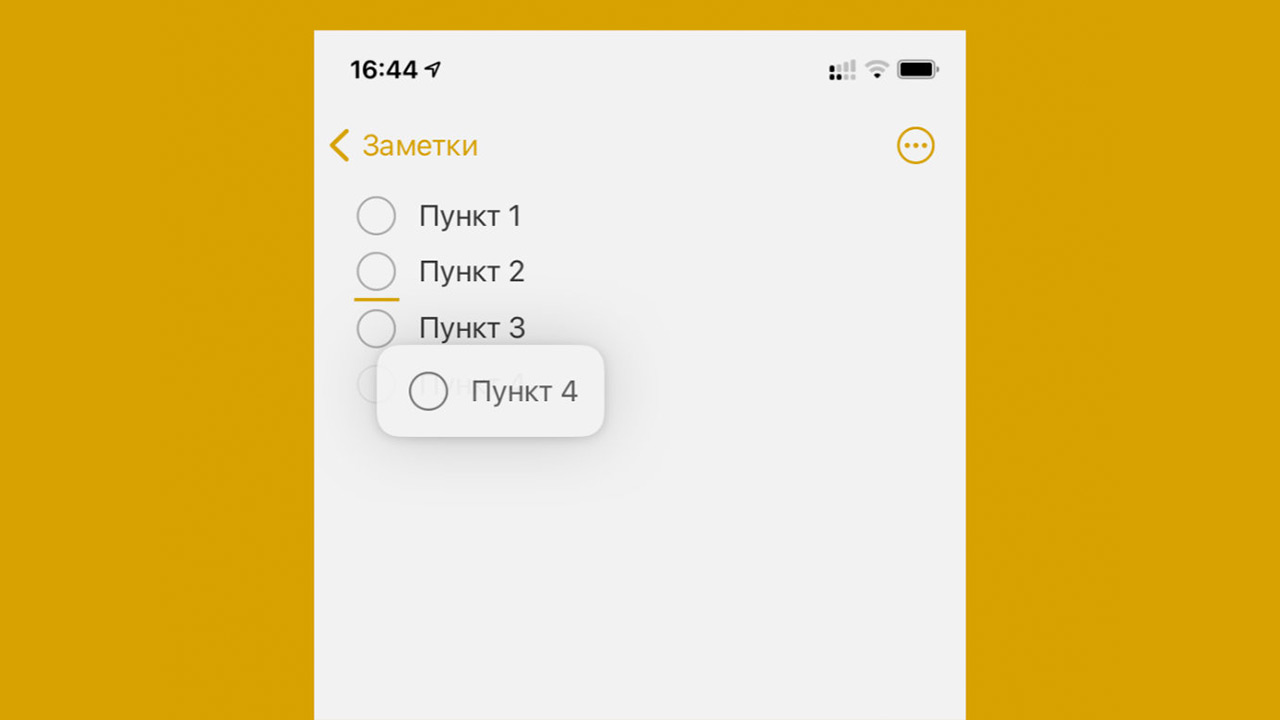
The first non-obvious scenario — grocery shopping. You create a checklist on your phone, arrive at the supermarket, and check off purchased items by tapping the watch screen. The phone stays in your pocket, hands are free.
The second scenario — instant idea capture. Brilliant thoughts come during a run or while washing dishes. Simply raise your wrist, enable dictation, and speak. The voice note instantly syncs through the cloud and appears on your laptop screen. Creating notes via the Siri voice assistant is also available, though recognizing complex commands still requires clear dictation.
Handwriting Recognition and PDF Work
Document interaction has been elevated to a professional level. An added PDF file doesn't just sit as a dead attachment icon. The document can be flipped through right inside the note, with a convenient thumbnail panel on the side for quick navigation.
On iPad tablets, the functionality is fully unlocked thanks to the stylus. Users can leave handwritten comments, highlight key points with a marker, and draw diagrams over pages without opening third-party editors.
For people with illegible handwriting, developers added a automatic text improvement feature. The tablet analyzes writing style on the fly and neatly aligns each letter. The handwriting's individuality is preserved, but the text becomes perfectly readable. A hand-drawn crooked circle, square, or arrow automatically transforms into a perfect geometric figure if you hold the stylus tip on the screen for one second.
The most impressive detail is the built-in calculator. Write with a stylus or type any mathematical equation with an equals sign at the end. The program instantly fills in the correct answer. The mechanic also works with currency conversion: the phrase "120 euros to dollars =" makes the system substitute the current rate.
Call Recording and AI
Recent OS updates brought the long-awaited call recording feature. During a conversation, a special icon appears on the phone screen. After pressing it, the caller hears an official voice notification about call recording starting, and the audio file is automatically sent to Notes.
An important addition is that along with the audio file, a full text transcription of the conversation is saved. The completed text is fully searchable, and clicking any paragraph starts audio playback from exactly that second.
Apple Intelligence integration takes text work beyond familiar editing. AI features are officially limited in some regions but can be easily activated by changing the language in settings. Neural networks can:
- Rewrite a selected draft in a business, concise, or friendly tone
- Structure a huge wall of text, turning a stream of thoughts into a neat table or bulleted list
- Generate new content from scratch thanks to deep ChatGPT integration
- Transform rough pencil sketches on iPad into full-color illustrations using the Image Wand tool
Basic Settings for Organization
As hundreds of notes accumulate, the need for rigid structuring arises. Developers provided several levels of data organization.
The list view easily switches from the standard text format to a gallery mode with large visual previews. Search works both across the entire database and within a specific open document. Huge text walls can be structured with headers that collapse and expand entire sections on click.
Nested folders are provided for file organization. A folder is simply dragged onto another, creating a multi-level architecture. The most important documents are pinned to the top of the list with a short rightward swipe.
Confidential information is protected by a separate security layer. Access to hidden notes opens only after face scanning via Face ID, fingerprint reading, or entering a set password. If an unauthorized person gets hold of the unlocked device, they can't read hidden documents.
By the way, a small but incredibly convenient interface detail was discovered. Tapping the date at the top of an open page instantly switches the time display between "date modified" and "date created" and back. Finding this feature in official instructions is nearly impossible.
Text Formatting and Markdown Support
Experienced users avoided the standard app for years out of fear of losing data. Switching to another platform meant the inability to take accumulated archives. Recent updates completely solved the problem thanks to Markdown integration. Any note easily exports in a universal format and opens without issues in Obsidian, Notion, or other professional databases.
Visual formatting capabilities on mobile devices remain basic, but the Mac version hides advanced tools. Pressing Command+T brings up a detailed font management menu. Users can change typeface, fine-tune line spacing, and select any text color through an extended palette. The global font size is permanently fixed in the app's main settings.
Cross-Reference System and Collaborative Access
One of the most in-demand features in recent years has been the ability to link documents together. Simply type two greater-than signs in a row, and a dropdown list of all existing files in the database appears. Selecting the desired item creates an active hyperlink in the text.
Advanced enthusiasts build enormous knowledge bases on this mechanic. One main file with a table of contents is created, with links leading to dozens of other notes on narrow topics. Navigating the personal library happens in one click.
Collaborative work is implemented at the level of specialized corporate services. A document or entire folder can be shared with colleagues. Changes made by others appear on screen in real time. If you mention a co-author via the @ symbol, they receive a pop-up system notification.
Why Pay for Third-Party Services
Popular tools like Notion, Obsidian, or Evernote offer a huge pool of capabilities. Commercial platforms are ideal for running complex team projects, creating multi-level databases with tags and kanban boards.
However, for ninety percent of everyday tasks, the functionality of commercial giants is absolutely redundant. Apple's built-in utility works for free, instantly syncs across all user devices, doesn't require constant internet connection, and processes content of any format. Ecosystem users should spend fifteen minutes studying the basic tool before signing up for another paid subscription. There's a high probability you simply won't need third-party products.
0 comments