
















.png)












































.png)


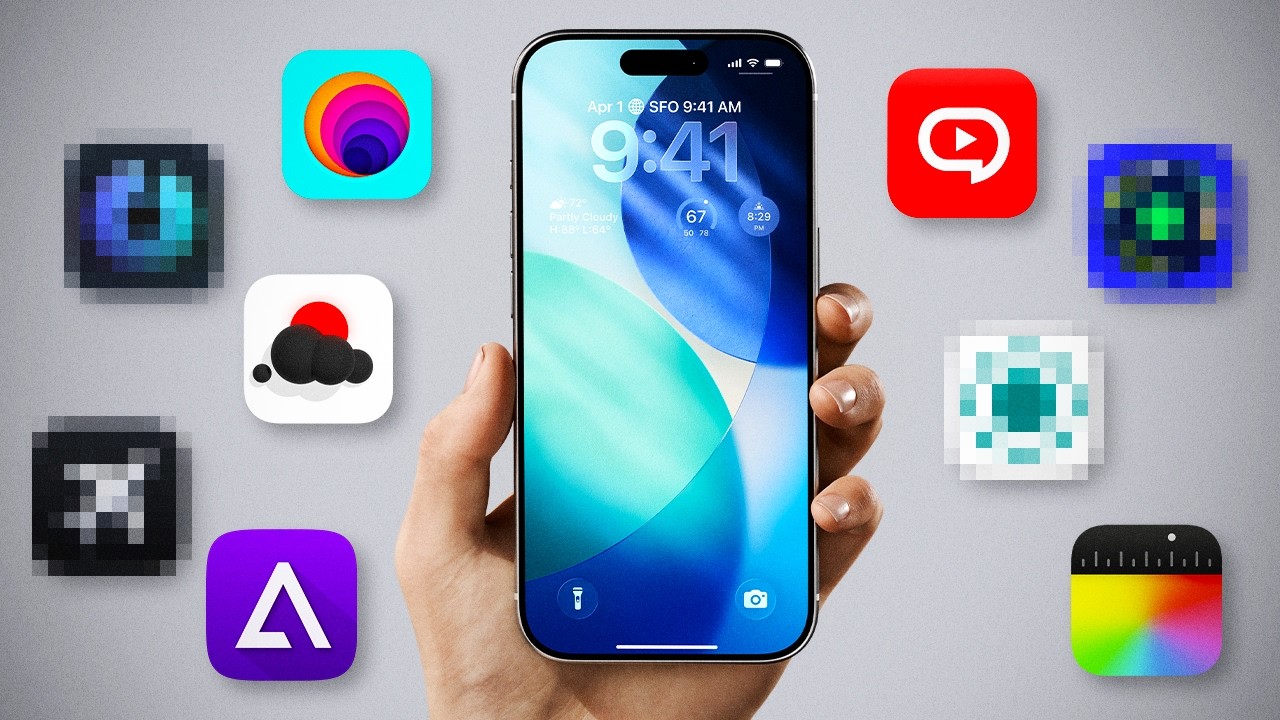
Did you know you can run classic Nintendo games on your iPhone? Or that there's an app that predicts your flight delay before the airline officially announces it?
People buy iPhones for substantial sums and then open the same five icons: camera, messengers, social media, YouTube, maps. The phone is capable of much more. The App Store has many apps that solve specific tasks better than built-in tools — and most are free.
Below are nine such apps. Tested in practice at Techno Buyer.
Final Cut Camera: Professional Camera Already in the App Store
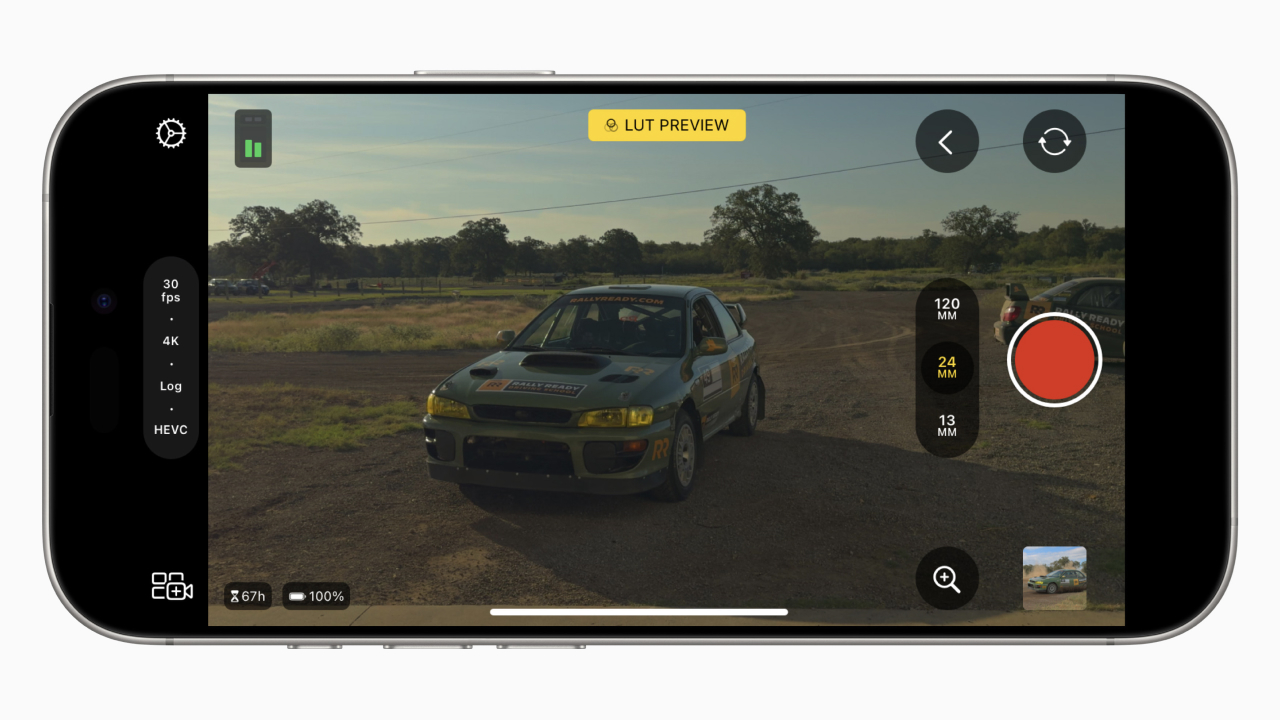
Most people shoot video through the standard "Camera" — and don't know that Apple made a separate app for professional shooting. It's called Final Cut Camera, completely free.
Originally designed as a companion to Final Cut Pro for video editors. But anyone can use it — even someone who's never opened a video editing program.
The main feature is ProRes recording. This is the maximum video quality you can get from an iPhone. The difference from the standard format is especially noticeable during editing and color grading: ProRes gives much more room for processing. Meanwhile, the heavy ProRes files are stored within the app itself — not in the gallery, not in iCloud. The phone's storage and cloud don't suffer.
Second — manual settings. Shutter speed, exposure, white balance — all adjustable manually. The standard iPhone camera doesn't have this; there, automation decides everything for you. Final Cut Camera turns the phone into a full manual camera where you control the picture rather than relying on algorithms.
Real downsides: no audio level adjustment during recording — a strange decision for a professional tool. No macro mode or 48mm lens, which the standard camera has. But for a free app, these are minor limitations. Anyone who shoots video on iPhone even occasionally — download without hesitation.
to Stories: Instagram Stories in Two Clicks
A niche app, but for those who actively run Instagram — genuinely useful.
to Stories does one thing: lets you quickly post anything to stories. Photos, videos, links — all go to Instagram in a couple of clicks, bypassing the tedious process within the app itself.
But the main thing isn't speed, it's YouTube link handling. You drop a video link — the app automatically generates a nice preview with thumbnail, title, and channel name. Looks professional. People click such stories noticeably more than a bare text link — the difference is visible in the stats within the first week.
If you regularly announce content through Instagram — to Stories saves time and nerves.
Not Boring Weather: Weather That's a Pleasure to Open
Sounds unserious, but it's genuinely a good app.
The standard iPhone weather app is functional but faceless. Not Boring Weather shows the same data, only with character. When it's sunny — bright animations. In rain — drops roll down the screen. A blizzard looks like a blizzard. It's not just decoration: the app feels alive, and checking the weather stops being a mechanical action.
The base version is free. For $15 a year, additional themes unlock, plus a timer and calculator in the same style — a small bundle of apps with unified design.
This is the rare case where beautiful design doesn't interfere with functionality but adds to it. A small thing, but when every morning starts with checking the weather — let it be a pleasant small thing.
One Sec: One Second Against Doomscrolling
Doomscrolling works on autopilot. You pick up the phone, your hand reaches for Instagram or TikTok — and you're already scrolling, even though you didn't plan to. Especially when the news background is anxious and you want to constantly refresh the feed.
One Sec inserts itself exactly at that moment. You add the social media apps you overuse. Now when you try to open one, One Sec intervenes: it shows how many times today you've already been there and when the last time was. Then offers a moment to reconsider. One second of pause before the app opens.
And that's often enough. Stopped — thought — realized there's no need. Closed it, did something else. The app doesn't block social media or set timers. It simply creates one point of conscious choice that wasn't there before, between impulse and action.
The free version lets you connect one or two apps — usually enough. If you feel the phone is taking more time than you'd like — try it. It works.
Delta: Nintendo in Your Pocket
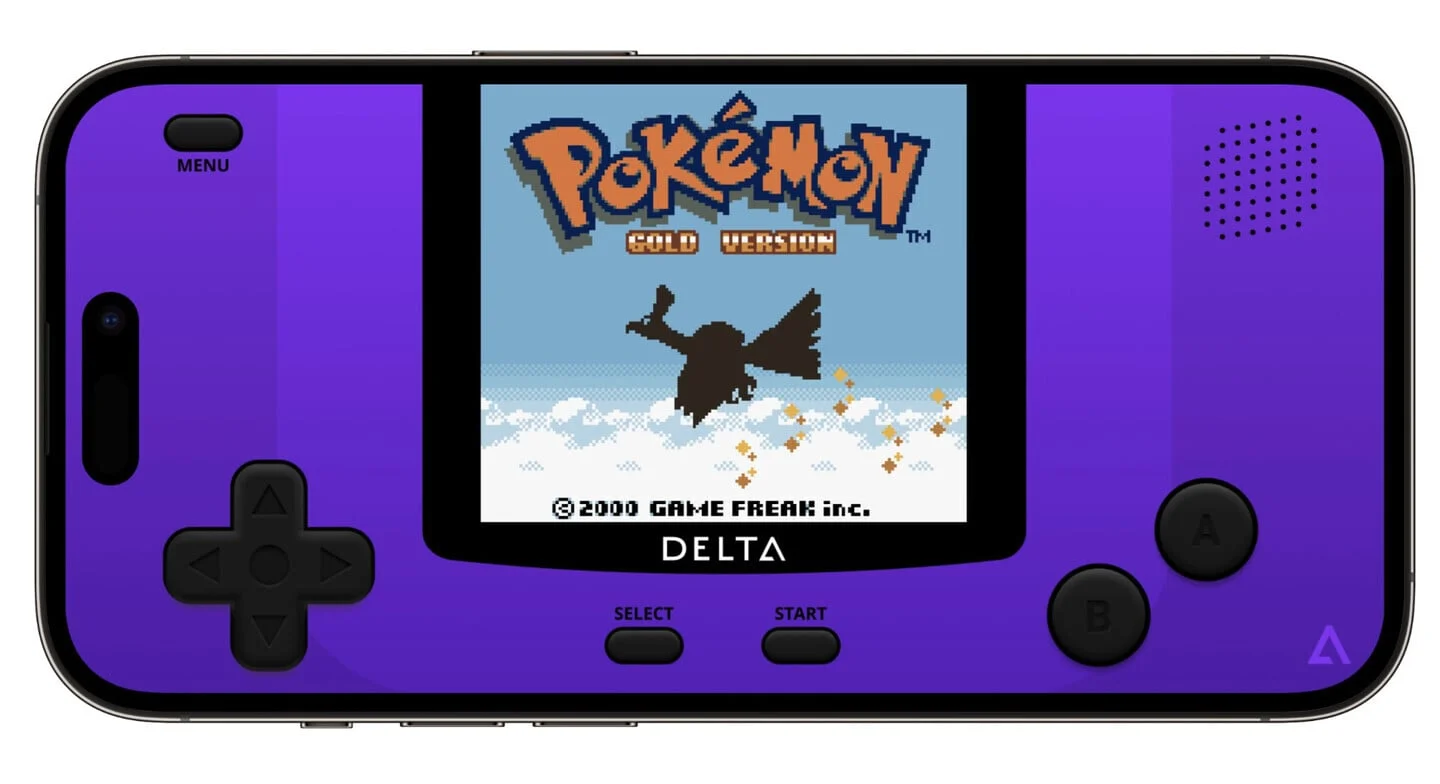
In 2024, Apple finally allowed emulators in the App Store. Delta is the best of all that appeared.
It's an emulator for classic Nintendo consoles: Game Boy, NES, Super Nintendo, Nintendo 64. Pokemon, Mario, Zelda, Metroid — all now run right on iPhone. Controls are adapted, with haptic feedback on all buttons. Works smoothly even on older models — no slowdowns.
One caveat: ROM files, meaning game images, you'll need to find yourself. The legality question is for everyone to decide for themselves — Delta simply runs what you load into it.
If you ever held a Game Boy as a kid or played Mario on a console — it's that same feeling. Only now it fits in your pocket and doesn't go anywhere.
LocalSend: AirDrop Without Boundaries
AirDrop is convenient, but only works between Apple devices. Need to send a file to an Android or Windows — the mess with messengers, cloud, or cable begins.
LocalSend solves this without extra steps. Install the app on all devices — iPhone, Android, Mac, Windows, Linux — and transfer files directly over the local network. No cloud, no registration, no ads, no subscription. Completely free.
Transfer speed is high — works on the local network, meaning no file size limits. There's a useful text feature: copied something on the phone, sent via LocalSend to the computer, pasted there — a shared clipboard between different devices. For those who frequently transfer links, addresses, and text snippets between phone and computer, this is convenient daily.
Among alternatives, LocalSend stands out for connection stability and a clean interface without excess.
Video Summarizer: The Essence of Any YouTube Video in a Minute
A familiar situation: you need to watch a review or tutorial, but no time for a twenty-minute video. You put it off — and never come back to it.
Video Summarizer works on the basis of ChatGPT and does one thing: takes a link to any YouTube video and produces a brief summary. Main points, key thoughts, the essence — in one or two minutes of reading instead of twenty minutes of watching.
It also has a question mode: you can ask something specific about the video, and the app answers based on its content.
The app isn't perfect yet — sometimes fails on longer videos. But it's completely free and works well for its task. Especially useful for those who consume a lot of educational content and guides.
Radio Garden: Radio From Any Point on the Planet
Perhaps the most unusual app in this selection. Not the most practical — but definitely the most unexpected.
Radio Garden shows an interactive globe. Tap any point on the map — the radio from there starts playing. Tokyo, New York, a small town in Brazil, or a radio station from an African village — it all works.
Where this is genuinely useful: you're learning a language and want to hear live speech from native speakers, not educational recordings. Need unconventional background sound for work or meditation. Or just curious what's broadcasting in some random part of the world right now.
It's a sort of travel without leaving your room. Free, no registration, no ads.
Flighty: Predicts Flight Delays Before the Airline Does
The final app — and perhaps the most valuable for those who fly regularly.
Flighty tracks flights and warns about delays before the carrier officially announces them. Not "flight delayed" after an airport announcement — but a warning 30–40 minutes before it becomes public. The app uses aviation data and machine learning, and its accuracy is surprisingly high.
If you're flying with a connection — Flighty sends a gate change notification while you're still in the air. This removes a significant portion of connection stress in unfamiliar airports, where every lost minute counts.
The free version is already useful: flight tracking, basic notifications, flight history. The paid one — for frequent flyers: advanced delay predictions, detailed analytics for all trips. For regular travelers and business travelers — one of the best apps out there.
Nine Apps — What to Download First?
All listed apps are either completely free or have a free version sufficient for most tasks. None bury you in ads.
If you don't want to download everything at once — here are priorities by situation:
- Shoot video at least occasionally — Final Cut Camera
- Have non-Apple devices — LocalSend
- Phone takes more time than you'd like — One Sec
- Fly more than twice a year — Flighty
- Love retro games — Delta
The rest — by mood. After installing even a couple of these, the iPhone feels a bit like a different phone. Not because it changed, but because you start using what was already in it.
You can check current iPhone models, where all this works best, in the Techno Buyer store.
0 comments